Use the workspace
The workspace shows open Slang documents. Selecting a tab focuses that document for editing and inspection; it does not silently rebind a viewport.
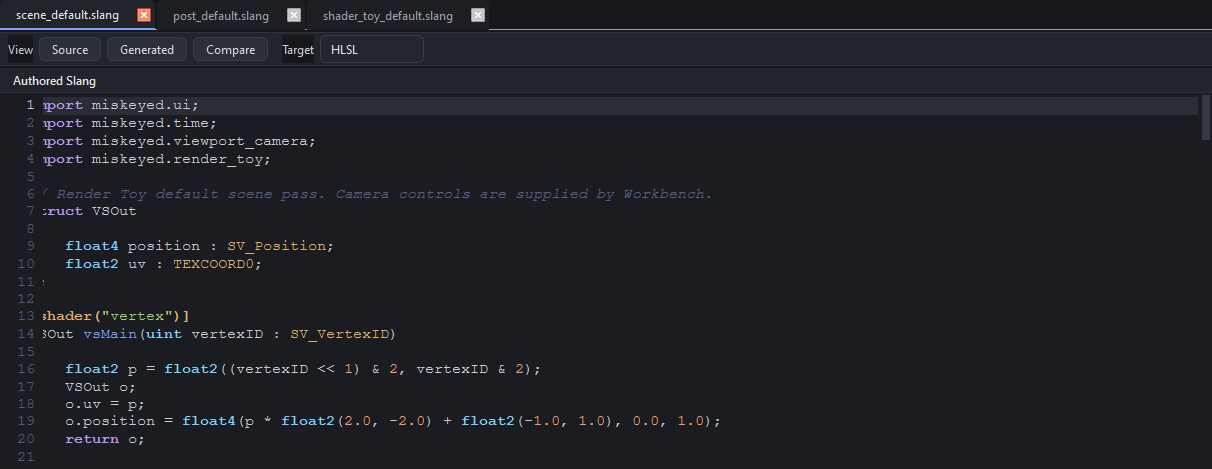
To work with a document:
Use the arrow beside Open document to choose where the file should go: document-only, Render Toy Scene, Render Toy Post, or Shader Toy. Plain Open document never silently binds a viewport.
Edit Source, Generated, or Compare view.
Click a viewport to focus the document bound to that consumer.
Read the status binding summary before changing a tool binding.
See Documents and bindings for the open/focused/bound model.
Workbench reads and compiles a selected file with its containing directory as the project search path before binding it to a tool slot. Slang therefore resolves sibling imports before Workbench validates the compiled entry points. A failed compile leaves the document open for diagnostics but does not replace a working tool binding.